 Skip to content
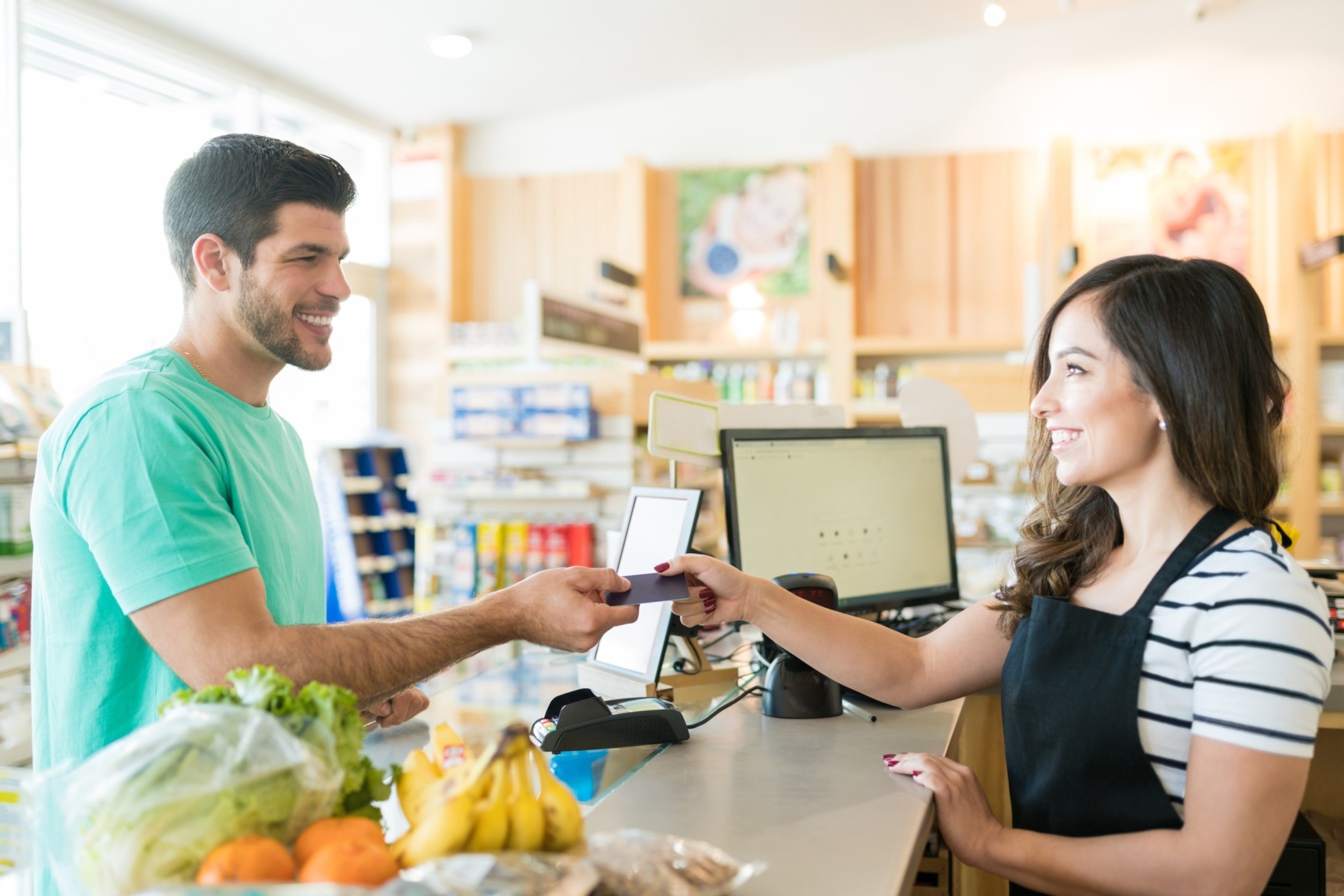
If you’re opening a retail store or upgrading how your shop runs, you’ve probably heard the term POS system more times than you can count. It’s often mentioned quickly, assumed to be obvious, and rarely explained properly.
But here’s the truth.
A retail Point of Sale system is not just a way to take payments. It’s the control centre of your business. When chosen and used correctly, it helps you sell faster, manage stock accurately, understand customers better, and make smarter decisions every day.
“A good POS system doesn’t just record sales. It helps you run your shop.”
This guide explains retail POS systems from the ground up, in plain language. No jargon. No assumptions. Just a clear explanation of what a POS system is, how it works, and why it matters.
What Is a Retail Point of Sale (POS) System?
A retail POS system is the combination of hardware and software that allows you to process sales and manage your store operations from one place.
At checkout, it handles payments. Behind the scenes, it tracks inventory, stores customer data, records sales, and produces reports that show how your business is performing.
Modern POS systems go far beyond a traditional cash register. They act as a real-time hub that connects everything happening in your store.
In simple terms, a POS system helps you:
- Sell products
- Track stock automatically
- Understand what’s selling and what’s not
- Manage staff access
- Improve customer experience
For most retailers today, running a store without a POS system is like trying to manage finances without a bank account.
Key Components of a Retail POS System
Every POS system has two main parts: hardware and software. Both work together to keep your store running smoothly.
POS Hardware: The Physical Equipment
Hardware is what you can see and touch at the checkout counter. Depending on your store size and setup, this may include:
- Touchscreen or Tablet
This is the main interface where sales are processed. Many modern systems use tablets instead of bulky terminals. - Barcode Scanner
Used to scan product barcodes quickly and reduce checkout errors. - Receipt Printer
Prints paper receipts, though many stores also offer digital receipts. - Card Reader
Accepts debit cards, credit cards, and mobile payments like contactless or digital wallets. - Cash Drawer
Opens automatically during cash transactions and stays locked otherwise for security.
Not every store needs every piece of hardware, but these are the most common components.
“The best hardware setup is the one that fits your store, not the most expensive one.”
POS Software: The Brain of the System
If hardware is the body, software is the brain.
POS software manages:
- Sales transactions
- Product and inventory data
- Pricing and discounts
- Customer information
- Staff permissions
- Sales reports and analytics
This is where the real value of a POS system lies. Good software doesn’t just record information, it turns data into insights you can act on.
Modern POS software is often cloud-based, meaning your data is stored securely online and accessible from anywhere.
Types of Retail POS Systems
Not all POS systems are built the same. Understanding the main types helps you choose the right one for your store.
Cloud-Based POS Systems
Cloud POS systems run over the internet and store data securely online.
They are popular because they offer:
- Automatic updates
- Remote access to reports
- Easy scalability as the business grows
- Lower upfront costs
Cloud POS systems are ideal for:
- Small to medium retail stores
- Growing businesses
- Multi-location retailers
- Pop-up shops
“If you want flexibility and growth, cloud POS is usually the best place to start.”
Mobile POS (mPOS)
Mobile POS systems run on tablets or smartphones. They’re lightweight, portable, and easy to set up.
These systems are commonly used by:
- Small retail shops
- Market stalls
- Pop-up stores
- Events and temporary retail spaces
mPOS systems allow staff to move freely, reducing queues and improving customer interaction.
On-Premise POS Systems
On-premise systems are installed on local servers inside the store.
They offer:
- Full local control
- Operation without internet
However, they require:
- Higher upfront costs
- IT support
- Manual updates
These systems are usually chosen by large retailers with in-house IT teams.
Self-Service POS and Kiosks
Self-service kiosks allow customers to scan and pay for items themselves.
They’re becoming more common in:
- High-volume retail environments
- Convenience stores
- Supermarkets
They reduce wait times and free up staff, but they require careful setup and customer guidance.
Setting Up a Retail POS System: Step by Step
Setting up a POS system may sound technical, but it’s usually straightforward when broken down into steps.
Step 1: Choose and Connect Hardware and Software
Start by selecting a POS system that fits your store size, budget, and future plans. Most retailers today choose cloud-based systems because they’re flexible and easy to manage.
Once selected, connect your hardware:
- Plug in the scanner, printer, and card reader
- Connect the tablet or terminal
- Ensure everything communicates correctly
Step 2: Log In and Import Product Data
Next, log into the POS software and add your products.
This includes:
- Product names and descriptions
- Prices
- Barcodes
- Categories
- Initial stock quantities
Many systems allow bulk imports using spreadsheets, which saves time for larger inventories.
Step 3: Create User Accounts for Staff
Set up accounts for employees and assign permissions.
For example:
- Cashiers may only process sales
- Managers may access reports and inventory
- Admin users may change pricing and settings
This improves security and accountability.
Step 4: Configure Payment Methods
Decide which payment types your store will accept:
- Cash
- Debit and credit cards
- Contactless and mobile payments
Make sure everything is tested before opening.
Step 5: Train Your Staff
Training is essential, even with simple systems.
Staff should know how to:
- Log in and out
- Scan products
- Process payments
- Handle returns
- Print or email receipts
- Run basic reports
“A POS system is only as good as the people using it.”
Daily POS Operations: How It’s Used in a Retail Store
Once set up, the POS system becomes part of your daily routine.
Starting the Day
Staff turn on devices, log in, and check that hardware is working. Managers may review opening stock levels or previous day sales.
Processing Sales
During transactions:
- Items are scanned or selected
- Discounts are applied if needed
- Payment method is chosen
- Payment is processed
- Receipt is issued
Stock levels update automatically with each sale.
Managing Inventory Throughout the Day
As products sell, inventory updates in real time. Low-stock alerts help prevent empty shelves and lost sales.
End-of-Day Review
At closing, managers can:
- View daily sales reports
- Check cash totals
- Review staff performance
- Identify top-selling products
This visibility helps you make informed decisions quickly.
Why Retail Stores Use POS Systems
Retailers rely on POS systems because they solve real problems.
Faster and More Accurate Checkouts
Scanning barcodes reduces pricing errors and speeds up transactions, especially during busy periods.
Real-Time Inventory Management
You always know what’s in stock, what’s selling, and what needs reordering.
This prevents:
- Overstocking
- Stockouts
- Manual counting errors
Business Insights Through Reporting
POS reports show:
- Daily and weekly sales trends
- Best-selling items
- Slow-moving products
- Staff performance
“Data turns guesswork into strategy.”
Better Customer Experience
With customer profiles and purchase history, you can:
- Offer personalised recommendations
- Run loyalty programmes
- Reward repeat customers
Scalability for Growth
As your store grows, a POS system grows with you.
You can:
- Add new locations
- Introduce online sales
- Expand product lines
- Hire more staff
All without rebuilding your systems from scratch.
Frequently Asked Questions (FAQs)
What is a POS system for retail stores?
A retail POS system is a combination of software and hardware that allows stores to process sales, manage inventory, track customer purchases, and generate sales reports.
What are the 4 types of POS systems?
The four main types are cloud-based POS, mobile POS (mPOS), on-premise POS, and self-service POS or kiosk systems.
What is the best POS system for a retail store?
The best POS system depends on store size, sales volume, required integrations, and future growth plans. Cloud-based POS systems are often the best choice for flexibility and scalability.
What is the difference between retail POS and POS?
Retail POS systems are designed specifically for product-based businesses, focusing on inventory, barcode scanning, and sales reporting, while general POS systems may be used across multiple industries.
Final Thoughts
For retail beginners, a POS system might feel like a technical purchase. In reality, it’s a foundation for how your store operates day to day.
The right POS system helps you sell efficiently, manage stock accurately, understand customer behaviour, and scale your business with confidence. It reduces manual work, minimises errors, and gives you clear visibility into performance.
“A retail POS system doesn’t replace good business decisions. It supports them.”
Blue Lotus X provides a comprehensive Cloud POS solution tailored for retail businesses, designed to bring sales, inventory, customer data, and reporting into one unified platform. With an all-in-one POS software approach, Blue Lotus X supports both single-store retailers and growing multi-location operations across the UK and Sri Lanka.
The Blue Lotus X POS system is built to integrate seamlessly with websites and online sales channels, allowing real-time data sharing between physical stores and e-commerce platforms. This ensures stock levels, sales data, and customer information stay aligned as your business grows.
By choosing a POS solution that fits your operations today and adapts for tomorrow, and by working with a trusted provider like Blue Lotus X, retail businesses can build a strong operational backbone that supports efficiency, insight, and long-term growth.
