

...
Skip to main content

BlueLoutsX

Cloud POS Platform

Power Every Counter,
Every Store —
The Cloud Countertop POS
Built for Retail & Hospitality

BLX Countertop POS gives your team a fast, reliable fixed station to process sales, manage inventory, and serve customers — all synced live to every other device and store you run.

REAL USE CASES

How Businesses Use It Every Day

  • Restaurant / Café Counter
    Food & Beverage

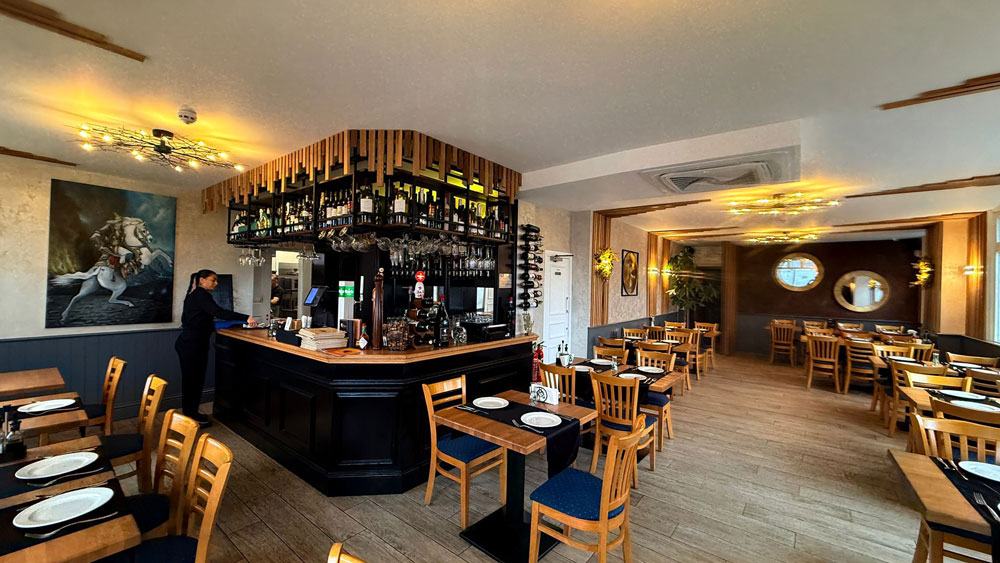
    Restaurant / Café Counter

    A front-of-house team member uses BLX Countertop POS to take dine-in orders, print directly to the kitchen display (KDS), split bills by seat, and close out a table in under 90 seconds. Managers monitor table turnover and sales in real time from a back-office dashboard.

  •  Retail Checkout
    Retail & Fashion

    Retail Checkout

    A clothing store uses BLX to scan barcodes, apply loyalty discounts, accept contactless and card payment in a single tap, and instantly update stock levels across all branches. No manual counts at end-of-day.

  • Multi-Store(Franchise) Management
    Franchise & Multi-Location Businesses

    Multi-Store(Franchise) Management

    A franchise with multiple outlets uses BLX to centralise pricing, run promotions from head office, and view store-by-store performance reports — without logging into separate systems.

  • Pharmacy & Healthcare Retail

    Pharmacy / Specialist Retail

    A pharmacy uses BLX Countertop POS to manage product-level tax rules, track prescription product inventory, and generate end-of-day reconciliation reports compliant with UK regulations.

Core Software features

What You Can Do with BLX
Countertop POS

Fast transaction processing with barcode scanner, touchscreen, and receipt printer support
Works offline — continues processing sales even without internet; auto-syncs when reconnected
Custom receipts with logo, promotion codes, and loyalty points balance
End-of-day cash reconciliation with variance alerts
Customisable tax rules per product or category (VAT, zero-rated, etc.)
Multi-user login with role-based permissions (cashier, supervisor, manager)
Split payments — accept cash + card + e-wallet on one bill
Real-time stock deduction on every sale, across all locations
Cloud dashboard — access reports, sales trends, and staff performance from any device
Loyalty programme integration — earn and redeem points at checkout

HARDWARE COMPATIBILITY

Hardware That Works with BLX Countertop POS

BLX Countertop POS is certified and tested with the following hardware:
  • PartnerTech SP-635 All-in-One POS Terminal
  • PartnerTech Grace G4 J34
  • PartnerTech Audrey A4 J34 / J64
  • External thermal receipt printers (Epson, Star Micronics compatible)
  • Cash drawers (standard RJ11 interface)
  • Barcode scanners (USB & Bluetooth)
  • Card terminals – integrated payment via supported gateways
  • Customer-facing display (pole display or secondary screen)

Screenshots & Micro-Walkthrough

Everything Included — No Hidden Extras

A complete look at what’s inside BLX Countertop POS — every screen built for speed and clarity.
  • Dashboard Overview

    See all your daily sales, top-selling products, and alerts at a glance — before your morning coffee cools.

  • Dashboard Overview

    See all your daily sales, top-selling products, and alerts at a glance — before your morning coffee cools.

  • Reports Screen

    Daily summaries, hourly breakdowns, and staff performance — all in one exportable view.

  • Settings Screen

    Configure tax rules, user roles, and receipt branding once — apply instantly across all terminals.

  • Dashboard Overview

    See all your daily sales, top-selling products, and alerts at a glance — before your morning coffee cools.

  • Transaction Screen

    Item search, quantity control, discount application, and split payment in a single streamlined flow.

  • Inventory Panel

    Item search, quantity control, discount application, and split payment in a single streamlined flow.

  • Reports Screen

    Daily summaries, hourly breakdowns, and staff performance — all in one exportable view.

  • Settings Screen

    Configure tax rules, user roles, and receipt branding once — apply instantly across all terminals.

  • Reports Screen

    Item search, quantity control, discount application, and split payment in a single streamlined flow.

FAQS

Frequently Asked
Questions

Can’t find your answer? Contact our team — we’re available 24/7.

Yes. BLX operates in offline mode and auto-syncs all transactions once reconnected.

Yes. BLX operates in offline mode and auto-syncs all transactions once reconnected.

Yes. BLX operates in offline mode and auto-syncs all transactions once reconnected.

Yes. BLX operates in offline mode and auto-syncs all transactions once reconnected.

Yes. BLX operates in offline mode and auto-syncs all transactions once reconnected.

Yes. BLX operates in offline mode and auto-syncs all transactions once reconnected.

Ready to see it in action ?

Book a free demo — see BLX Countertop POS in action with your own product data.​

Popup Form
Seraphinite AcceleratorOptimized by Seraphinite Accelerator
Turns on site high speed to be attractive for people and search engines.